Infrastructure dashboard
A fast overview of estate health, ownership and recent operational changes.

Kaya brings servers, services, remote access, runbooks, licences, assets and operational history into a calm self-hosted control plane.
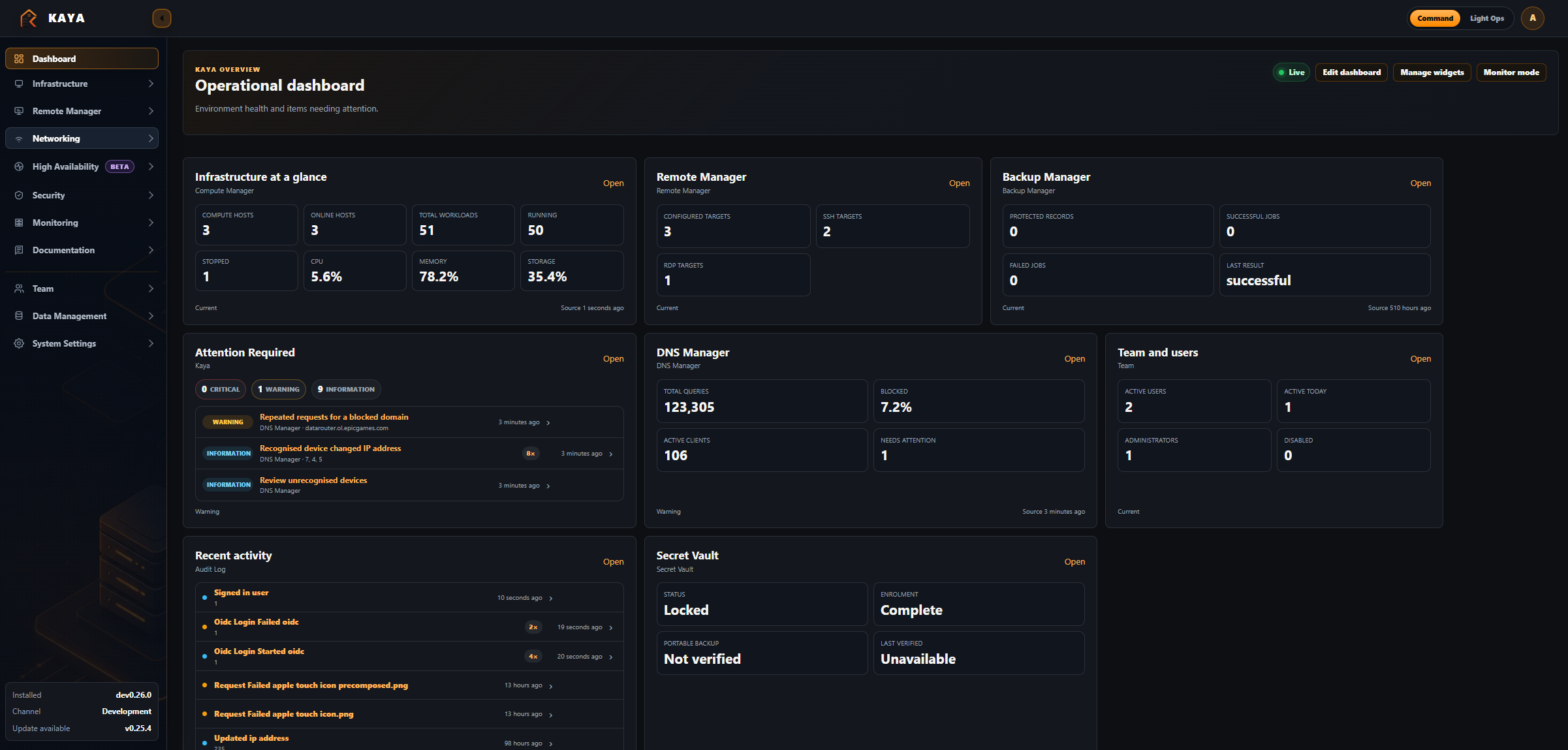
Keep asset records, access details, procedures and monitoring context close to the systems they describe.
A fast overview of estate health, ownership and recent operational changes.
Manage your DNS (Currently only Pihole) through dashboards and reports.
Provide managed high availability for supported DNS and DHCP services, beginning with paired Pi-hole nodes.
Zero-Knowledge Vault - Store and keep the important documents in your life. Fully encrypted individual files. Another login layer to access.
A zero-knowledge, end-to-end encrypted file/notes sending service. Send through a dedicated gateway container. Fully encrypted and secure.
Track hosts, VMs, containers, networks, vendors, locations and critical service notes.
Connect to SSH and RDP devices through a dedicated remote console supported by guacd.
Write Markdown procedures for incidents, maintenance windows and repeatable admin tasks.
Capture keys, vendors, renewals and compliance notes before they disappear into inboxes.
View and keep an eye on Docker and Proxmox hosts and their VM/LXC/Docker containers.
Review who changed what, when, and why during day-to-day infrastructure work.
Run Kaya on your own hardware with Docker and retain ownership of your operational data.
Kaya is for the homelabbers who know every server has a story: where it lives, what depends on it, how to reach it, and what to do when it complains at the least convenient possible moment.
Deploy privately, back up simply, and keep control.
Designed around the information you reach for during real maintenance.
Useful for one careful homelabber or a compact operations team.
Clone Kaya, configure your environment and bring it online on your own host.
View installation guidegit clone https://github.com/antybubbs/kaya.git
cd kaya
docker compose up -d --buildKaya v0.26.0 introduces the Notification Centre, optional PWA Web Push, durable background delivery, more resilient IP/WAN monitoring, quieter Pi-hole HA recovery reporting, and automatic versioned database migrations.
Read updateA couple of fairly big new modules have recently landed in Kaya, both with security being a major part of how they've been built.
Read updateKaya is open source, free for anyone to use, and I genuinely hope it helps someone else the way it's helped me. If it makes managing your homelab a little easier, saves you some time, or even inspires you to build something of your own, then every late night spent working on it was worth it.
Read update